Enhancing Veterinary Care with Richardson Healthcare
Sep 9, 2024
In February 2021, Richardson Healthcare embarked on an exciting journey with a veterinary center seeking to expand into a new facility. This partnership began with...

Apr 11, 2022 | Tech Tips, CT, Canon/Toshiba
Our 24/7 Technical Support team helps our customers by answering the call when they need us most. Through our “Ask a CT Engineer” blog series, we share questions we’ve received from engineers in the field answered by our very own expert engineering team. Here is an inside look at a recent question about an Asteion Super 4:
Q: I am working on a Toshiba* Asteion Super 4-slice CT scanner. The operating system is Windows XP platform TSX-021B. When I run tube warm-up, the process stops when the OLP (Over Load Protection) reaches 62%, and the tube heat temperature starts going down fast. The gantry continues rotating for a few minutes after stopping, and the computer is stuck, but there is no error on the screen. If I wait a little while and run a head scan procedure, the start button light does not come on.
A: The problem is either a defective MHR board in the REC box or corrupt boot line settings on the RTM board in the REC box. It is most likely a bad MHR board is causing the problem.
If an MHR board is defective (missing from the configuration), the indications are as follows:
You will be stuck in this loop until you quit the exam.
Once you quit the exam, after about 10 minutes a message will appear on the screen. It will say “Error in pre-process (a bad parameter was sent to pre-task)”.
Richardson Healthcare can help address challenges with defective MHR boards. Our 24/7 Parts and Technical Support team is available and ready for your call – (704) 739-3597.
*All product and company names are trademarks™ or registered® trademarks of their respective holders. Use of the trademarks is solely for identification purposes and does not imply any affiliation with or endorsement by the trademark holders.
Questions, Comments, Concerns?
Enhancing Veterinary Care with Richardson Healthcare
Sep 9, 2024
In February 2021, Richardson Healthcare embarked on an exciting journey with a veterinary center seeking to expand into a new facility. This partnership began with...
Resolving Onsite CT Scanner Issues: A Case Study
Sep 6, 2024
A biomed engineer at a hospital in south Florida encountered a significant issue with an inverter that had previously had its fans replaced due to...
Here to Help You Predict RDD Failures in Aquilion CT Scanners
May 1, 2024
Our 24/7 Technical Support team, with their extensive knowledge and experience, is always ready to assist our customers when they need us most. Here is an...
The Importance of Proper Care During Detector Troubleshooting and Service
Nov 21, 2023
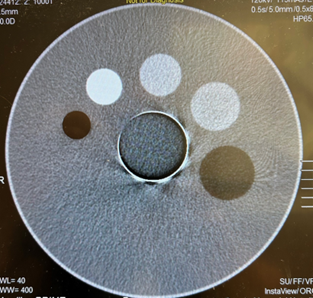
Our 24/7 Technical Support team helps our customers by answering the call when they need us most. Here is an inside look at why proper care...
4 Important Things to Cover During Preventative Maintenance
Aug 23, 2022
Recently, Jerald Olsen, our VP of Sales was quoted in a DOTmed article with important information about quarterly preventative maintenance (PM). We are going to...
Ask a CT Engineer: Aquilion 8 GCIFA Failure
May 5, 2022
Our 24/7 Technical Support team helps our customers by answering their call when they need us most. Through our “Ask a CT Engineer” blog series, we...
Ask a CT Engineer: Error Message on Aquilion 16
Mar 22, 2022
Our 24/7 Technical Support team helps our customers by answering the call when they need us most. Through our “Ask a CT Engineer” blog series, we...
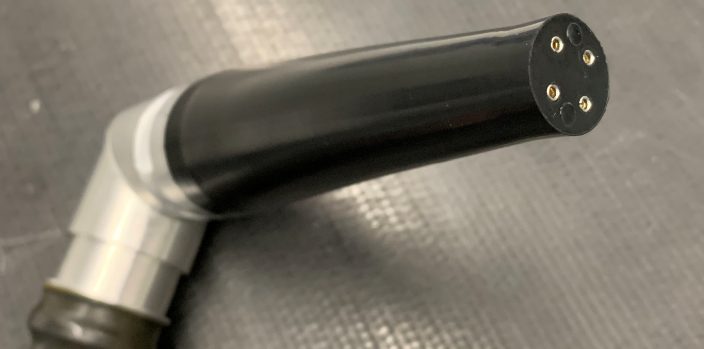
Proper HV Cable Installation for Aquilion CT
Dec 8, 2021
Why is proper HV cable installation important? A correctly installed HV cable helps ensure optimal operation of the x-ray tube and generator. Our engineering team...
CT Tube Install: Dos and Don’ts
Oct 21, 2021
The Richardson Healthcare engineering team has put together a list of important dos and don’ts to remember during a CT Tube install.
Changing Aquilion CT Tubes: Potential Issues at Installation
Aug 24, 2021
Replacing an X-ray tube can be a challenge and the risks are high for service providers. Our team is here to help you avoid potential...